


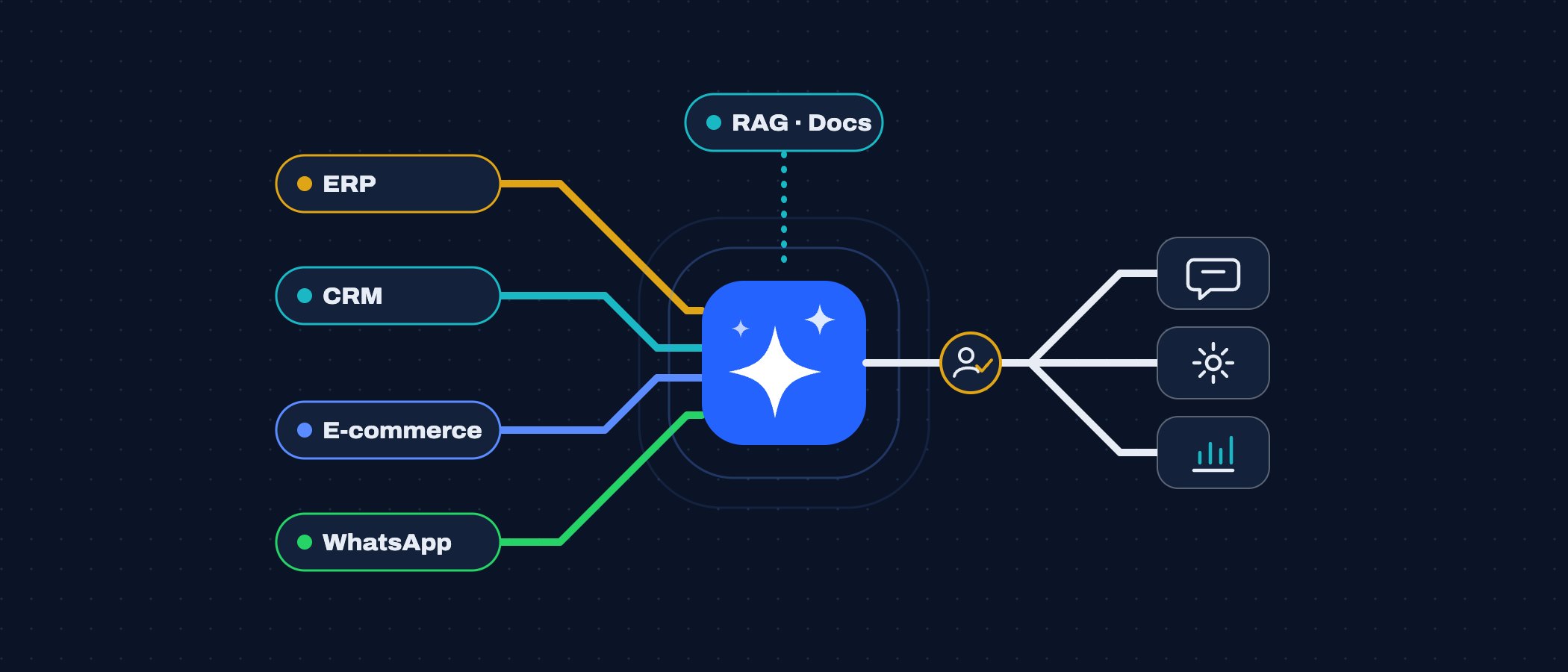
Almost every conversation about artificial intelligence I have with companies starts the same way: “we want a chatbot.” Once we dig in, what they need is rarely a generic chatbot. They need AI that checks real inventory, reads the invoices arriving by email, answers on WhatsApp with the actual status of an order, or lets an analyst find in seconds the policy they currently hunt for across five shared folders. In other words, they need AI wired into the systems they already run.
I have spent more than 20 years integrating ERPs, CRMs, online stores and payment gateways, and in recent years I have built assistants connected to business data and conversational automation on WhatsApp. This guide sums up how I approach those projects: how a chatbot differs from an agent, where AI adds measurable value, how to look after the data, how to connect it without putting operations at risk, and how to move forward in phases.
Chatbot or agent: the real difference
The word “agent” gets used for almost anything, so it is worth defining. A chatbot answers: it receives a question, interprets it and returns text, sometimes grounded in documents. An agent acts: beyond talking, it decides to call tools (look up an order, open a ticket, update a contact in the CRM), keeps state across steps and carries out actions under specific permissions. That ability to act is what changes the design, the risk and the cost.
| Aspect | Chatbot | Agent |
|---|---|---|
| What it does | Answers questions with text | Works through steps and calls tools to read or change systems |
| System access | None, or read-only access to documents | ERP, CRM or store APIs, with permissions defined per tool |
| State | The current conversation | The conversation plus task state: what it looked up, what is missing, what it already did |
| Main risk | A wrong answer | A wrong action: a refund, a price change, an email sent |
| Controls required | Sources, tone and topic boundaries | Least privilege, parameter validation, human approvals and auditing |
| When it fits | FAQs and information lookups | Repetitive processes with clear rules on systems that expose an API |
My usual advice is to start with something closer to a chatbot, with read-only access, and turn it into an agent one tool at a time, once you know how it behaves with real users.
Where it actually adds value
Customer service and WhatsApp
In customer service, the value is not in sounding human but in resolving things with real data: an order’s status, a product’s availability, a branch’s opening hours, the balance due on an invoice. On WhatsApp this also means following the platform’s rules (approved templates outside the 24-hour window, user opt-in) and always planning a handover to a person with the conversation history, so the customer never has to repeat themselves.
Internal knowledge with RAG
Retrieval-augmented generation (RAG) means first searching your documents for the relevant passages —manuals, policies, procedures, standard contracts— and handing them to the model so it answers from them. Done well, it sharply reduces made-up answers and lets you show the source. What drives quality is not the model but the content: current documents, no contradictory duplicates, sensible chunking and permissions that respect who may see what.
Document processing
Supplier invoices, purchase orders, scanned forms, payment receipts: AI extracts structured fields from documents with varying layouts better than rigid OCR templates do. The key is to validate the extracted data against the system (does that supplier exist? do subtotal, tax and total add up? is the tax ID in a valid format?) and send anything that does not match to review.
Workflow automation
Classifying incoming email, routing tickets, drafting a reply, summarising a case before escalating it, preparing a quote from a free-text request. Here AI works as one more step inside a workflow that already exists, not as a new system. If the process is unclear without AI, AI will not make it clear.
Data readiness and privacy
Before choosing a model, I take a simple inventory: what data each use case needs, where it lives, who owns it, how clean it is and how sensitive it is. That is what decides what may go to an external provider and what may not.
- What goes to each provider: read the terms of the plan you buy. Check whether data sent through the API is used for training, how long it is retained, which region processes it and whether a data processing agreement is available.
- Minimisation: send only the fields the task needs. Answering a question about an order does not require the customer’s full history.
- Anonymisation and pseudonymisation: replace names, ID numbers or phone numbers with identifiers before sending the text, and restore them on your server when the response comes back. Card data should simply never reach the model.
- Local models: for highly sensitive information, open-weight models running on your own servers or in a private cloud are a real option. They trail the largest commercial models on complex tasks, but for classification, extraction and internal search they are usually enough.
- Inherited permissions: the assistant must not see more than the person asking would. If the RAG index holds everything without filtering by role, you end up exposing payroll in an innocent query.
Data quality matters as much as privacy. A catalogue with incomplete descriptions or a CRM full of duplicate contacts produces incomplete or duplicated answers, however good the model is. Sometimes the first phase of an AI project is really a data clean-up.
Integration patterns for ERP, CRM and e-commerce
The rule that protects operations most is that the model never talks directly to the database or the ERP. Between them I put a mediation layer: an API of our own that exposes specific tools, validates every parameter and applies the business rules. The model proposes; that layer decides whether the operation goes ahead.
- Read-only first: the first tools only look things up (orders, stock, invoices, customer records). Write tools come later, one at a time.
- Least-privilege service accounts: one technical user per integration, with access only to the endpoints and records it needs, and credentials stored on the server, never in the prompt.
- Events and queues: when the ERP or the store emits webhooks (order created, payment confirmed), I process them asynchronously through a queue with retries, so an AI provider outage does not block operations.
- Idempotency: every write action carries an idempotency key. If the agent or the queue retries, the refund or ticket is not created twice.
- Auditing: a log of every call recording who triggered it, which tool was used, with which parameters, what the system returned and what the model replied. Without it there is no way to explain a mistake or to improve.
Here is what a read-only tool definition looks like, for example, one an agent can use to look up an order:
{
  "name": "get_order_status",
  "description": "Status, date and total of an order of the signed-in customer",
  "input_schema": {
    "type": "object",
    "properties": {
      "order_number": { "type": "string", "pattern": "^[A-Z0-9-]{6,20}$" }
    },
    "required": ["order_number"]
  }
}
Notice what that tool definition does not allow: the model does not choose the customer. The mediation layer takes the identity from the authenticated session (or the verified WhatsApp number) and only returns that person’s orders. So even if someone tries to manipulate the conversation to fetch other people’s orders, the tool has no way to hand them over.
Human in the loop
Human oversight is not a sign that the AI is failing; it is part of the design. What I agree with the business is where autonomy ends.
- Approval thresholds: the agent may issue a credit note up to a set amount; above it, it prepares the operation and a person approves it with one click.
- Confidence and validation: if an invoice extraction breaks the rules or the result looks doubtful, the document goes to a review queue instead of into the ERP.
- Escalation: for sensitive topics (complaints, disputed charges, health, personal data) or whenever the user asks, the conversation moves to a person along with a summary of the context.
- Feedback: reviewers’ corrections are stored and feed the adjustments to prompts, rules and documents.
Measuring results
If you do not measure before, you cannot tell afterwards whether it worked. So I capture a baseline of the current process for a few weeks before switching anything on, and then compare using the same metrics:
- Resolution rate: what share of queries or cases are resolved without human intervention, and how many of them get reopened.
- Handling time: from the moment a request arrives until it is resolved, not just the assistant’s response time.
- Error rate: wrong answers, extractions that had to be corrected, actions that were reversed. It is measured on samples reviewed by people.
- Cost per task: model usage plus infrastructure plus human review time, compared with the cost of the current process.
- Satisfaction: one short question at the end of the conversation and, above all, the reasons behind each escalation.
Common mistakes
- Starting from the technology (“we want to use an agent”) instead of a specific process with an owner and a measurable problem.
- Connecting the model straight to the database or giving it an account with admin rights.
- Indexing every company document without pruning outdated versions or filtering by permissions.
- Having no set of test questions with expected answers, and tweaking prompts or models by eye.
- Promising full automation from day one and designing with no way out to a person.
- Ignoring variable costs: long conversations, huge documents stuffed into the context and unlimited retries.
- Treating the project as a one-off delivery. Processes, products and models change; the assistant needs maintenance like any other system.
A phased plan
- Assessment: pick one or two use cases with volume and clear rules, map systems and data, review privacy constraints and capture the baseline.
- Controlled prototype: read-only, with a test set built from real cases and internal use by the team that does the work today.
- Integration: mediation layer, service accounts, auditing, queues and idempotency; first write actions behind human approval.
- Pilot: one channel or one user segment, with escalation to people and a weekly review of errors and metrics.
- Rollout and evolution: extend channels and tools based on results, tune the autonomy thresholds and keep the test set up to date whenever a process or a model changes.
AI delivers real value in a company when it is integrated like any other serious component: clear contracts, least privilege, well-kept data, tests and someone accountable for it working tomorrow too. The systems you already have —the ERP, the CRM, the store— are not an obstacle; they are exactly what makes the assistant useful. If you are working out where to start, I would much rather see a small, well-measured use case than an ambitious platform nobody uses.