


Almost every company I work with has a system that “works, but nobody wants to touch it.” It was built ten or fifteen years ago, it runs invoicing, inventory or day-to-day operations, and every small change turns into a week of nerves. The question I get asked isn’t technical. It’s whether modernizing is worth the investment now, or whether the system can hold out for another year.
After more than 20 years building, integrating and maintaining business systems, my answer is almost never “let’s rewrite everything.” Nor is it “leave it alone.” What helps is knowing how to read the signs, understanding the risk you accept by waiting, and choosing a path that doesn’t stop the business. Here is how I assess it.
Signs that a system needs modernizing
No single sign forces a modernization. What matters is how many pile up and how close they sit to the critical parts of the business. These are the five I check first.
Unsupported versions
If the application runs on PHP 5.6 or 7.x, a Node.js release outside its LTS window, an abandoned framework or an unpatched operating system, it no longer gets security fixes. PHP 7.4 reached end of life at the end of 2022, and earlier versions long before that. The vulnerability is only part of the problem: new libraries stop being compatible, hosting providers retire those versions, and any modern integration (a payment gateway, a cloud SDK) requires a runtime your system can’t use.
Security debt
Security debt shows up in the details: passwords stored as unsalted MD5 or SHA-1, SQL queries built by string concatenation, sessions that never expire, credentials hardcoded in the source, no audit logs. Each one can be fixed, but when they all appear together they usually mean the system was designed for another era, and patching them one by one costs more than rebuilding the affected layer.
Cost of change
This is the clearest signal for the business. A tweak that should take a day takes two weeks, because nobody knows what else will break. There are no automated tests, deployment is manual, and every release goes out with crossed fingers. When the team starts answering “that can’t be done” to reasonable requests, the system is already holding back business decisions.
Dependence on a single person
If only one person understands how a commission is calculated, how the month is closed or why a certain table exists, the company has an operational risk, not a technical one. That person gets sick, leaves or simply burns out, and the knowledge goes with them. It can be recovered, but it has to be documented deliberately before anyone touches the code.
Degrading performance
Reports that take minutes, screens that freeze at month-end, databases that grew without proper indexes or archiving. Sometimes performance can be fixed with targeted work: indexes, caching, rewritten queries. But if the architecture forces everything to run synchronously or on a single server that can’t scale, the limit is structural.
The risks of standing still
Keeping a legacy system isn’t free just because it doesn’t show up in the budget. The cost is spread out, hidden, and tends to grow over time:
- Security incidents: a known vulnerability in an unsupported version is the easiest way in for an attacker.
- Unplanned outages: when an old server fails there may be no compatible replacement, and restoring becomes a job of days.
- Missed opportunities: adding payments, a WhatsApp channel, an online store or AI becomes expensive or impossible.
- Talent: it gets harder every year to find people willing and able to maintain old technology.
- Compliance: auditors, banks and corporate customers ask for controls the system can’t demonstrate.
Modernize or replace?
Not every old system should be modernized. Sometimes the right call is to replace it with an off-the-shelf product; other times it makes sense to rebuild some parts and keep the rest. I decide along two axes: how much unique business value the system holds, and how healthy its technical foundation is. A generic ERP with little customization can be replaced; a system that encodes years of the company’s own business rules should almost never be thrown away.
| Situation | What I usually recommend | Why |
|---|---|---|
| Reasonable code running on unsupported versions | Upgrade the platform (runtime, framework, server) | The risk lives in the infrastructure, not the logic |
| Valuable in-house business rules, hard-to-maintain code | Incremental modernization, module by module | Knowledge is preserved and risk shrinks at every step |
| Standard processes (accounting, payroll) with little customization | Replace with an existing product and integrate it | Building what already exists gives no advantage |
| Stable system that rarely changes and isn’t exposed to the internet | Maintain and isolate, with monitoring and backups | Modernizing doesn’t pay off if it’s barely touched |
| Poor performance in one specific area | Extract that module or optimize it | The problem is localized |
| Nobody understands the system and the data isn’t reliable | Audit and document first | Without a diagnosis, any decision is a gamble |
A full rewrite from scratch is the most exciting option and the one I’ve seen fail most often. For months the business still depends on the old system, which keeps changing too; the new one chases a moving target, and in the end rules surface that nobody had ever written down.
The incremental approach: the strangler fig pattern
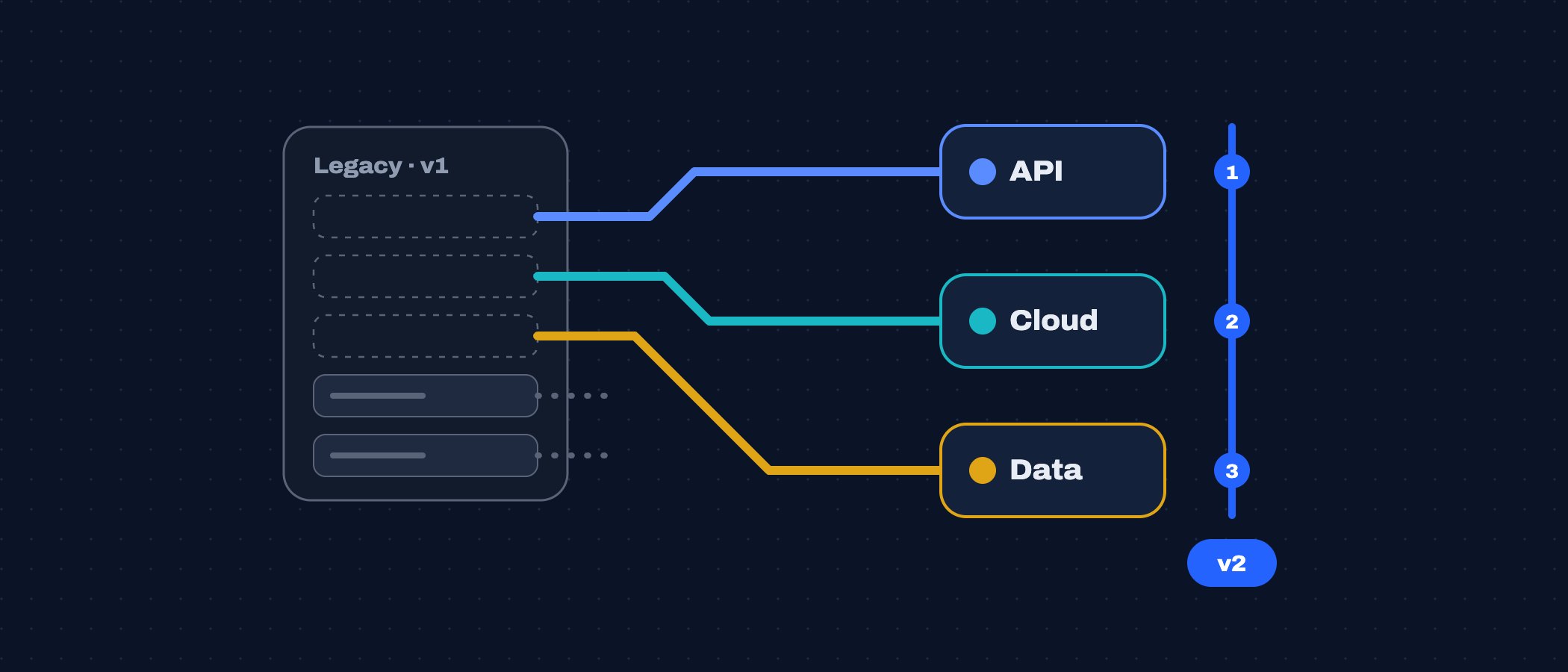
The strangler fig pattern, described by Martin Fowler, means building the new system around the old one and moving functionality over piece by piece until the legacy system no longer receives traffic. The key piece is a facade: a proxy, an API gateway or a routing layer that decides, route by route, which system handles each request.
# Nginx facade: migrated routes go to the new service, the rest stays on legacy
location /api/invoices/ {
    proxy_pass http://invoicing-new:8080;
}

location / {
    proxy_pass http://legacy-app:80;
}
This way each migrated module goes live on its own, and if something fails you roll back by changing a route, not by restoring an entire system. I pair the facade with feature flags so the new module is switched on first for internal users or for a slice of traffic. End users don’t experience a “big migration”; they experience a system that keeps getting better.
Preserving business rules and data
The real value of a legacy system isn’t its code but the rules that code enforces: how taxes are rounded, which discounts can be combined, what happens to an invoice voided after the period closes. Many of those rules aren’t written down anywhere else. Before I move a module, I do three things:
- Characterization tests: tests that capture what the system does today, even if it looks wrong, so any difference in the new system is caught.
- A rules inventory: a document reviewed with the business owners that explains every calculation and every exception.
- A data strategy: table mapping, deduplication and, when both systems must run side by side, synchronization through change data capture or events so neither works with stale data.
Data deserves extra care. A migration isn’t finished when the records are copied; it’s finished when the numbers reconcile: totals per period, balances per customer, stock per warehouse. I automate reconciliation between the old and new systems, and I don’t close a module until they match.
A step-by-step plan
1. Audit
I review the code, infrastructure, database, integrations, security and deployment process, and I talk to the people who use the system every day. The result is a map: modules, dependencies, known risks and the areas nobody dares to go near.
2. Prioritize
I weigh technical risk against business impact. I start with what hurts most or exposes the company most, not with what is easiest or most technically interesting. I define small deliveries, each with value of its own.
3. Stabilize
Before migrating anything, the current system has to stop being fragile: verified backups, version control, a staging environment, error monitoring, urgent security patches and a repeatable deployment. This phase alone usually reduces incidents and buys room for what comes next.
4. Migrate module by module
With the facade in place, I extract one module at a time: its logic, its data and its integrations. For the first one I pick a module with clear boundaries and limited consequences, to prove the method before touching the core.
5. Validate
Each module goes through the characterization tests, data reconciliation and, when the risk justifies it, a parallel run: both systems process the same work and I compare the results before switching the old one off. Business users validate with real cases, not demos.
6. Evolve
Modernization doesn’t end with the last migration. The goal is a system that can change safely: automated tests, CI/CD, living documentation and dependencies updated on a regular schedule. That way it doesn’t turn into legacy again in five years.
Questions to answer this week
- Which language, framework and operating system versions do we run, and do they still get security patches?
- How long does a small change take today, from request to production?
- How many people truly understand the system’s critical processes?
- Which integrations will the business need in the next twelve months that aren’t feasible today?
- Do we have backups we have actually tested restoring?
If two or more answers make you uncomfortable, you don’t need to commit to a rewrite. You need a diagnosis. With it, a modernization can be planned in phases, with visible costs and without stopping operations.